How AI Crawlers Read Websites and Why Your Content Might Be Hidden
Key Takeaways
● Googlebot, bingbot and Applebot run JavaScript. GPTBot, OAI-SearchBot, ChatGPT-User, ClaudeBot and PerplexityBot don’t. They read the HTML your server sends them and stop there.
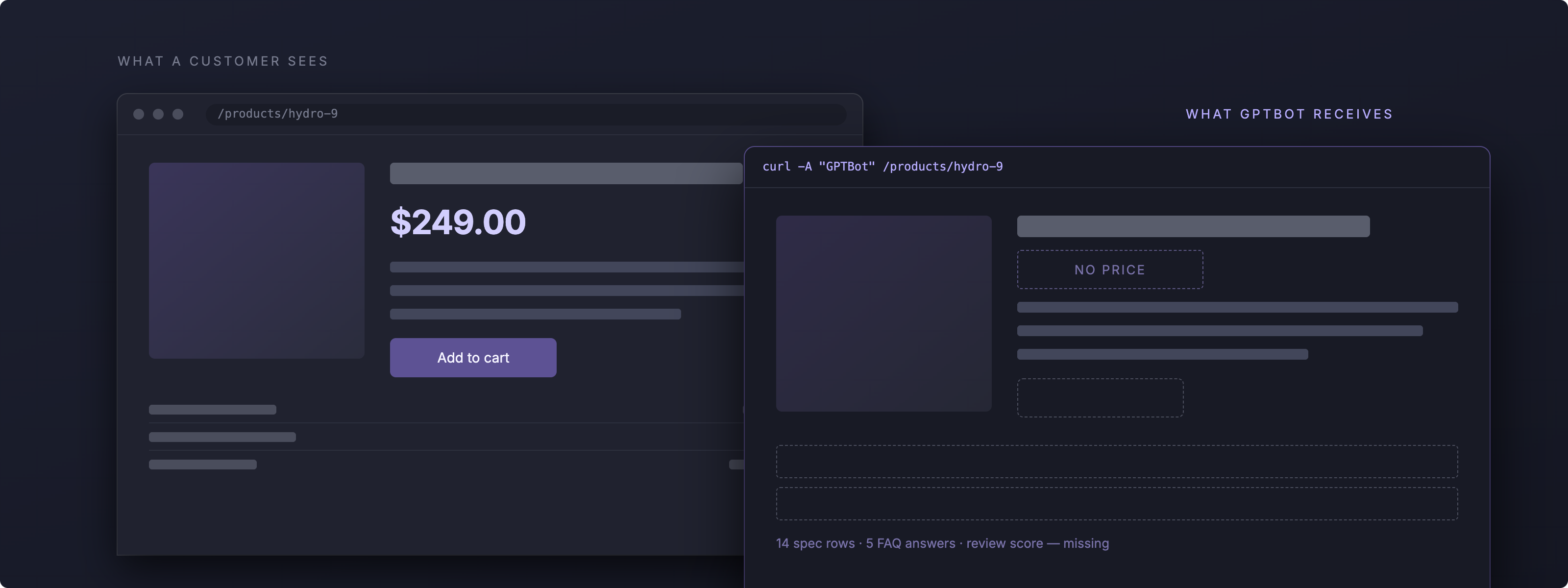
● If JavaScript adds it, they never see it. On the ecommerce product page we tested, that meant no price, no specs, no FAQ answers and no review score.
● We measured it. A page built the normal way handed a non-rendering crawler 31% of its readable content.
● Fix it at the source. The change you need is in how the page gets built, not in the words on it. Server-rendering solves most of this. It does put more load on your server.
Which AI crawlers render JavaScript?
Some crawlers run JavaScript. Most of the AI ones don’t. Here is where each one sits.
This catches people out, because these crawlers do ask for your JavaScript files. JavaScript made up 11.5% of ChatGPT’s requests and 23.8% of Claude’s. They download the scripts and never run them, so .js hits in your logs prove nothing about rendering.
What content disappears when a crawler can't run JavaScript
If JavaScript has to run before something appears, a non-rendering crawler won’t get it. That is usually the commercial content: price, stock, specs and reviews. Those are the parts that actually sell the product.
So we built a product page and tested it. The hero image and the marketing copy were server-rendered, so they sat in the HTML from the moment the page loaded. The price, specs, reviews, FAQ answers and structured data were added by JavaScript. That is how most headlessCMS and tag manager setups work. Then we fetched the page twice: once through a browser, the way a customer sees it, and once the way GPTBot does.
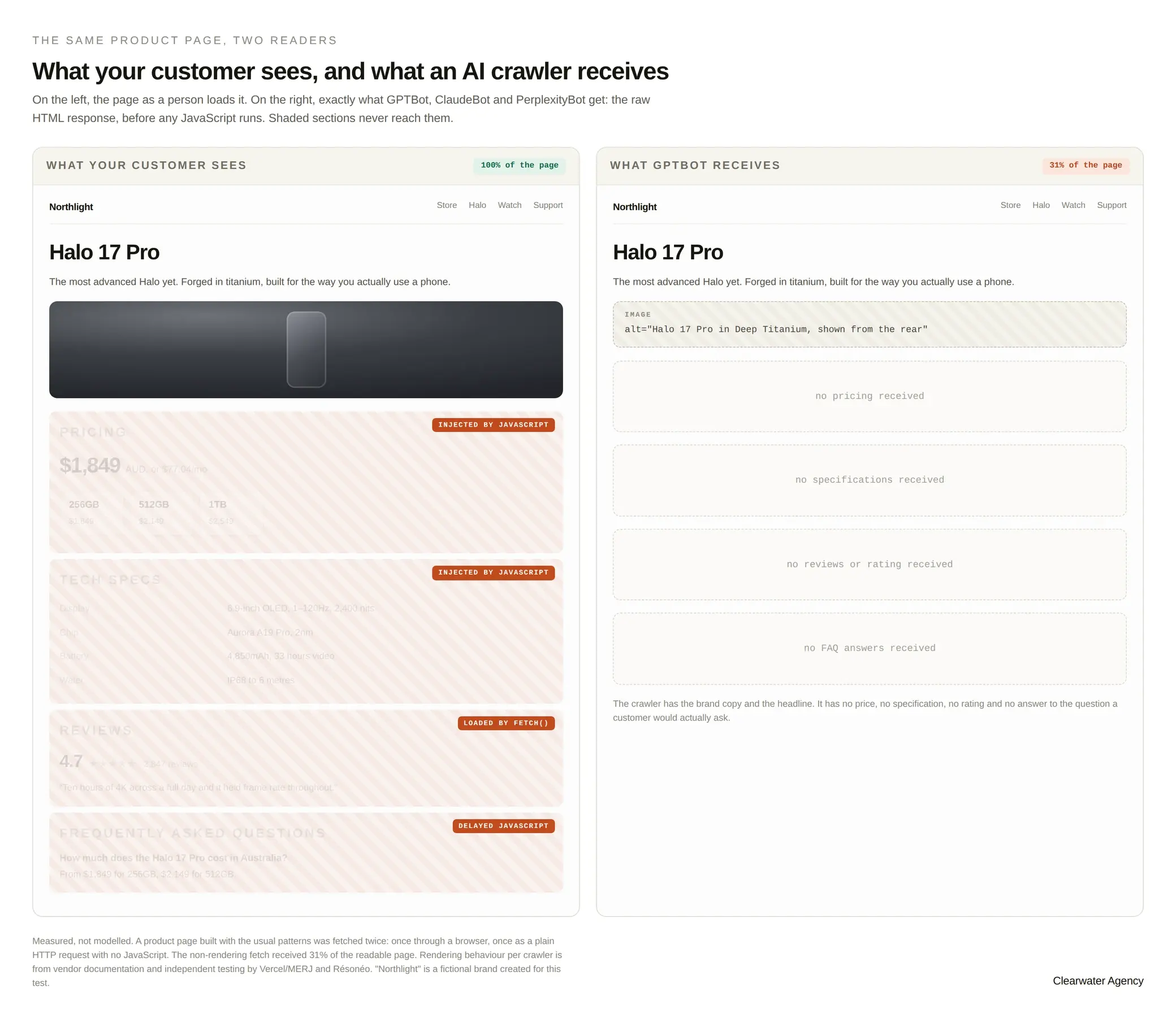
The non-rendering fetch got 31% of the readable page. It picked up the headline and the brand copy. It missed everyprice, all fourteen spec rows, all five FAQ answers and the review score. Half the internal links were gone too, so six other pages were never found. Everything a shopper needs to make a decision was invisible.
How much of a page does each AI crawler receive?
It comes down to two things. How you deliver the content, and what each bot can do when it arrives.
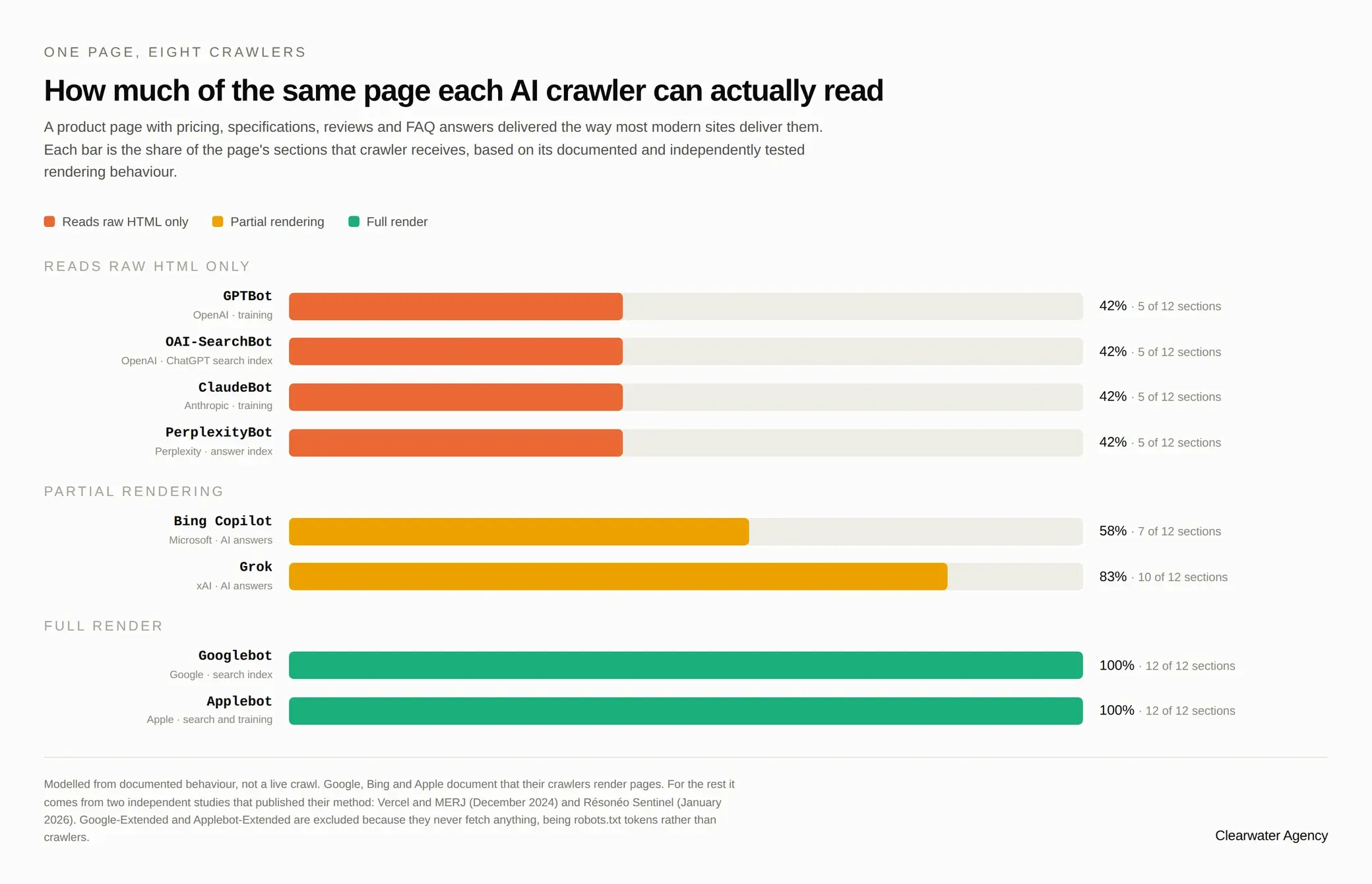
Bing Copilot is the only assistant that reads content inside Shadow DOM or an iframe. Shadow DOM seals a component’s code off from the rest of the page, and design systems built on web components use it constantly. If yours does, ChatGPT, Claude, Gemini and Perplexity see none of it. Grok runs JavaScript, including delayed scripts and fetch() calls, but it stops at Shadow DOM. Googlebot handles the lot. Vercel looked at more than 100,000 Googlebot fetches and found 100% of them rendered in full, half inside 10 seconds.
Do AI crawlers read content in tabs and accordions?
Yes, as long as the text is already in your HTML. If JavaScript only adds it when someone clicks, it’s gone.
Most advice on this gets it wrong. Text that sits in the HTML and is hidden by CSS until someone clicks is fine, because the crawler still reads it. Text that arrives by JavaScript on click is not, because the crawler never clicks anything. Both tabs look identical to your customer. Only one of them gets read.
So don’t ask what the content does on screen. Ask where the text was at the moment your server finished responding.
Is your host blocking AI crawlers without telling you?
Your host might be blocking AI crawlers on your behalf, and you won’t find it anywhere in your robots.txt.
Search Engine Land found WP Engine rate-limiting AI crawlers at platform level, underneath anything a customer can see or change. One site logged 29,099 bot requests in a week. ClaudeBot was throttled 29% of the time, GPTBot 29% and Amazonbot 51%. Kinsta, Pressable and Pantheon don’t do this by default. Cloudflare’s AI bot blocker has been caught blocking Googlebot as well.
So check your server logs. Your robots.txt only tells you what you meant to happen. HasData tested 10,894 domains in July 2026 and found that 39.5% of the GPTBot bans written into robots.txt weren’t being enforced by the sites that set them.
Which AI crawlers should you block in robots.txt?
Before you block anything, workout why the bot is there. AI bots do four different jobs, and stopping each one costs you something different.
Most sites we look at all four as one thing. Apple does too. Its robots.txt names none of the AI crawler tokens, so every one of them is allowed in by default.
OpenAI, Perplexity, Meta and Google all say in writing that robots.txt may not apply when a real person triggers the fetch. So if you truly need something stopped, block it at the firewall in front of your site. A text file will not do it. And blocking Google-Extended won’t take you out of AI Overviews. That token only controls Gemini training and grounding. AIOverviews are built from the ordinary Googlebot index.
How to make your website readable to AI crawlers
These are the five fixes we start with when we make a website readable to AI crawlers, in the order we do them.
What isn’t worth spending time on
llms.txt. Take-up grew 8.8 times in a year, to around 36,000 files, as people reacted to agent traffic. In May 2026, 97% of those files received zero requests. Of the requests that did land, SEO audit tools made up 21.7% and actual AI retrieval bots 1.1%. Google’s John Mueller called it “purely speculative for now” and said no AI system uses it. Server-render your prices instead.
Want to know if this is happening to your site?
Clearwater is an Australian AI SEO agency. We make sure AI crawlers can read your site, so more customers find youand more of them buy. If you want to know what GPTBot sees when it hits your pages, talk to our team and we’ll run the check.
References
Ashley Gaylard is Digital Strategy Lead at Clearwater Agency, a Melbourne performance marketing agency working across search, social and paid.